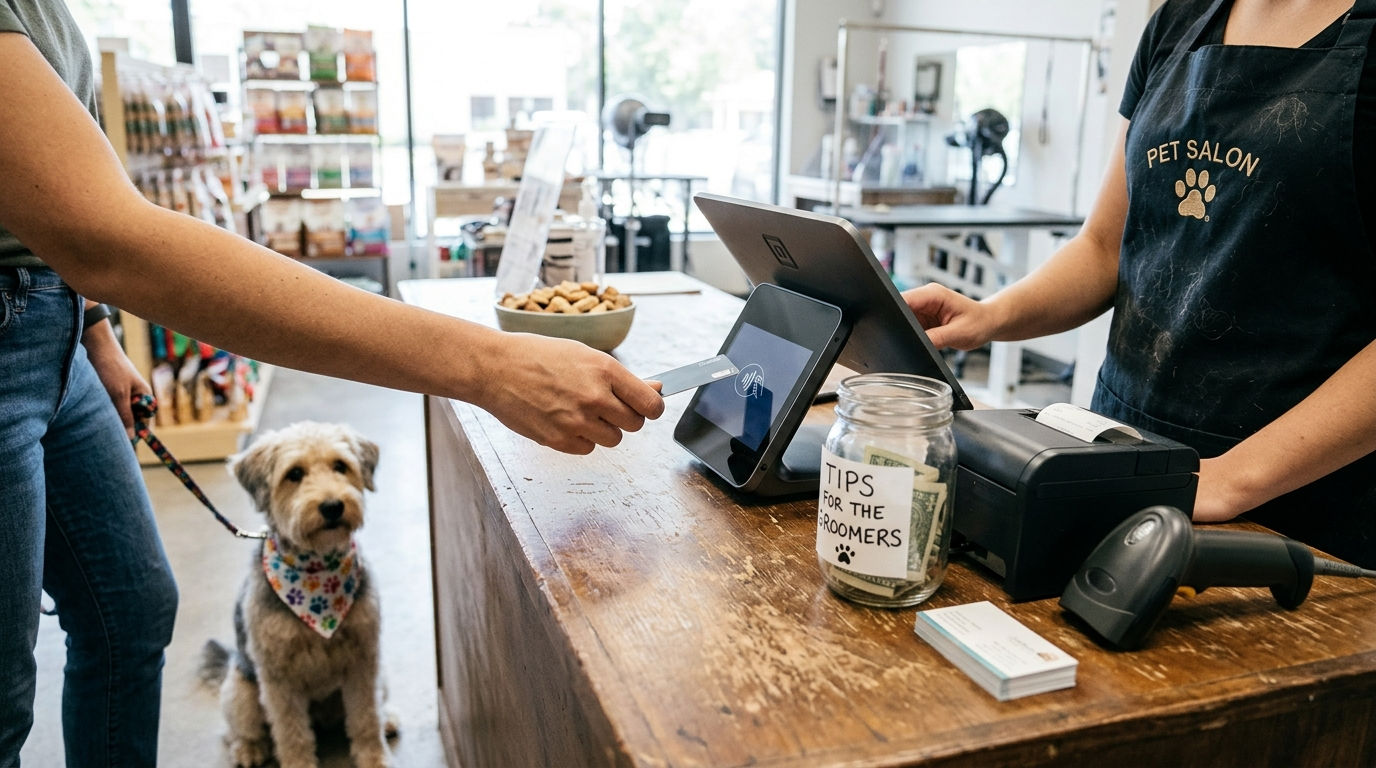
Online deposits can reduce awkward payment exchanges and help a salon manage limited time, provided the checkout and calendar agree about what was booked. A payment screen is not a complete booking system, and a scheduled appointment is not proof of successful payment.
The integration should make those two facts consistent and easy for both client and groomer to verify.
Decide which payments belong in the booking flow
Some salons take a deposit to reserve time, others ask for full payment only after the groomer confirms the service. A first-time heavily coated dog needs an assessment before a reliable final price is possible, but the system requests full payment upfront.
Define when deposits or charges are appropriate for each service, and present estimates clearly where outcomes may change. A payment feature should follow your real policy instead of encouraging premature price promises.
Keep the payment service separate from chat
An automated chat assistant invites an owner to type their card number to “finish booking.” Use a suitable payment processor and hosted checkout where possible, rather than asking clients to provide card credentials in messages.
Sensitive card details do not belong in AI transcripts, email threads or informal spreadsheets. Redirect to a properly secured payment page, limit the information passed and return a verified result to the booking record.
Coordinate slot holds with checkout
Set a reasonable hold duration, recheck availability on completion and release expired holds under defined rules. Customers may pause at payment, abandon the page or experience a failed transaction while a desired appointment time remains temporarily reserved.
Two people choose the last Saturday slot; one leaves their checkout open while the other finishes payment. Holding slots indefinitely reduces capacity, while failing to hold them risks charging for unavailable appointments.
Confirm both booking and payment outcomes
The salon needs to know whether the calendar reservation succeeded and whether any required payment was authorised or captured. Design reconciliation and an exception queue for partial failures, with one clear final message to the customer.
A green payment receipt is not enough to tell the client they are booked if the appointment record is missing. A card processor records success but the calendar connection times out and never creates the appointment.
Integration reliability is one of the central tests in comparing AI booking tools for independent groomers.
Explain fees, refunds and changes upfront
Deposits and cancellation conditions should be readable before checkout, with clear instructions for changes and applicable exceptions. Automated language should never invent a non-refundable condition or guarantee a refund without checking the actual terms.
A customer changes a pre-paid appointment and sees no explanation of whether the deposit follows the new date. Show the exact policy, service amount and payment handling before commitment; have a human route for disputes.
Prevent duplicate charges and records
Retrying a failed checkout can create more than one charge or appointment if integrations are not designed to recognise repeated attempts. A client taps “pay” again after a frozen screen and later sees two pending charges for one booking.
Use payment-provider idempotency controls where supported and test retries, timeouts and refreshes on a staging workflow. Manually deleting a duplicate calendar entry does not automatically refund a duplicate payment.
Reconcile the day's transactions
A payment appears in a bank settlement report but is attached to the wrong dog in the scheduling dashboard. A groomer needs a practical view of deposits received, balances due, cancellations and any mismatches before chasing a client.
A pretty sales graph is less useful than reliable per-appointment reconciliation at the end of a busy day. Compare booking IDs with payment records, investigate exceptions and keep a simple audit trail of corrections.
Check privacy, costs and exportability
Review published fees, payout timing, account access, data handling and how to export records if you change systems. Payment providers introduce fees and additional data processors; a small business should understand them before moving the workflow.
A low booking subscription is offset by per-transaction charges and a premium integration tier. Payment success does not excuse poor privacy controls or remove the need for proper bookkeeping and tax advice where relevant.
Follow one appointment from selection to payment
A booking and a deposit are related, but they are not the same event. A client might choose a suitable time, open a checkout page and abandon it. Another may pay successfully while the calendar update fails. The workflow needs to represent those outcomes honestly. Decide when the slot becomes provisional, when it is confirmed, how long unpaid holds last and which system reports payment success. Do not rely on a chatbot's message saying “paid” unless the payment provider has verified the transaction.
Use a trusted payment processor rather than collecting card numbers in an AI chat or ordinary form. The booking system should receive a transaction reference and status, not raw card details. Make the payment page and confirmation show the amount, what it is for and the relevant terms. A deposit should not be presented as the full groom price if coat condition or agreed extras can affect the final charge.
Map what happens when a customer changes plans
A reschedule may transfer an existing deposit, require a different amount or need human review. Those choices depend on the actual business policy and applicable consumer rights; the software must not invent them. Keep the appointment identifier connected to the relevant payment record so staff can see what happened. If a customer cancels one dog from a joint booking, the system should not automatically refund or cancel the entire household's services without checking how the original payment was allocated.
Failed payments need careful handling too. If the customer retries checkout, ensure that duplicate charges are not created. If the payment succeeds but the confirmation email fails, do not create a second booking while retrying the message. An audit trail of appointment status, transaction reference and staff actions is useful when resolving disputes. Avoid making that record more expansive than necessary; sensitive card information belongs with the payment provider.
Make financial reporting match the diary
At the end of a busy day, the groomer needs to distinguish paid deposits, outstanding balances, refunds and completed appointments. Test whether the platform can produce a clear reconciliation without exporting several inconsistent spreadsheets. A payment receipt alone does not establish that the corresponding dog was groomed or that the final service charge was collected. Understand whether processing fees are deducted before settlement and how refunds appear in reporting.
Consider accounting and tax handling appropriate to your business, but avoid relying on a booking app to make legal or professional accounting decisions for you. If the software cannot represent your workflow accurately, a simpler integration with careful manual reconciliation may be safer than adding an opaque automation layer.
Check security and failure recovery
Review who can issue refunds, edit amounts and change bank or payout information. Use individual staff accounts, strong authentication and the provider's security controls. Make the customer-facing language clear about when a payment is being requested and what happens after it succeeds. Test checkout from a phone, an interrupted connection, a cancelled hold and a payment webhook arriving late. When the payment service is unavailable, pause any action requiring verified payment and offer a real contact route. A reliable integration is one where a mistake does not leave the client with money taken and no understandable appointment record.
Test the split between payment and booking
Open the same appointment in a test calendar and checkout flow. Complete payment, then simulate a calendar write failure. The result should not tell the customer they have a firm appointment if no slot was secured. Next, save the booking but prevent the outgoing confirmation email from sending. Retrying the message should not charge the client again or create another calendar entry. These scenarios reveal whether the integration treats payments, appointments and notifications as separate transactions that need reconciliation.
Also test a partial household cancellation. If one owner pays a deposit for two dogs and later moves only the second service, can staff see what payment remains attached to which booking? A basic integration may require human handling for that case, which is acceptable if the limitation is visible. Unexplained automatic transfers or refunds are not. Every financial action should have an auditable record and a clear way for the client to ask a question.
Make failures visible to the right person
Staff need a short list of payments or bookings that did not reconcile, with enough detail to resolve each case without guessing. A transaction awaiting review should not disappear from the dashboard after the client leaves checkout. Give the owner a clear contact route while the issue is investigated. Clear exception handling matters more than making the success screen look reassuring; the difficult cases are where trust in the system is tested.
Reconcile a booking and deposit
- Make a low-value sandbox payment and check the booking receives the correct payment status.
- Cancel the test booking and check whether the refund is reflected in both systems.
- Avoid storing card numbers in website forms; use the payment provider’s secure checkout flow.
Official background reading for Connecting Online Booking With Grooming Payment Tools
Two systems, one clear outcome
A good booking-payment connection lets the client know exactly what is reserved and what has been paid. Keep card handling in a specialised system, protect availability during checkout and review partial failures deliberately. Reliability is more important than reducing every transaction to one click.